
Sign in and turn on sync
To turn on sync, you'll need a Google Account.
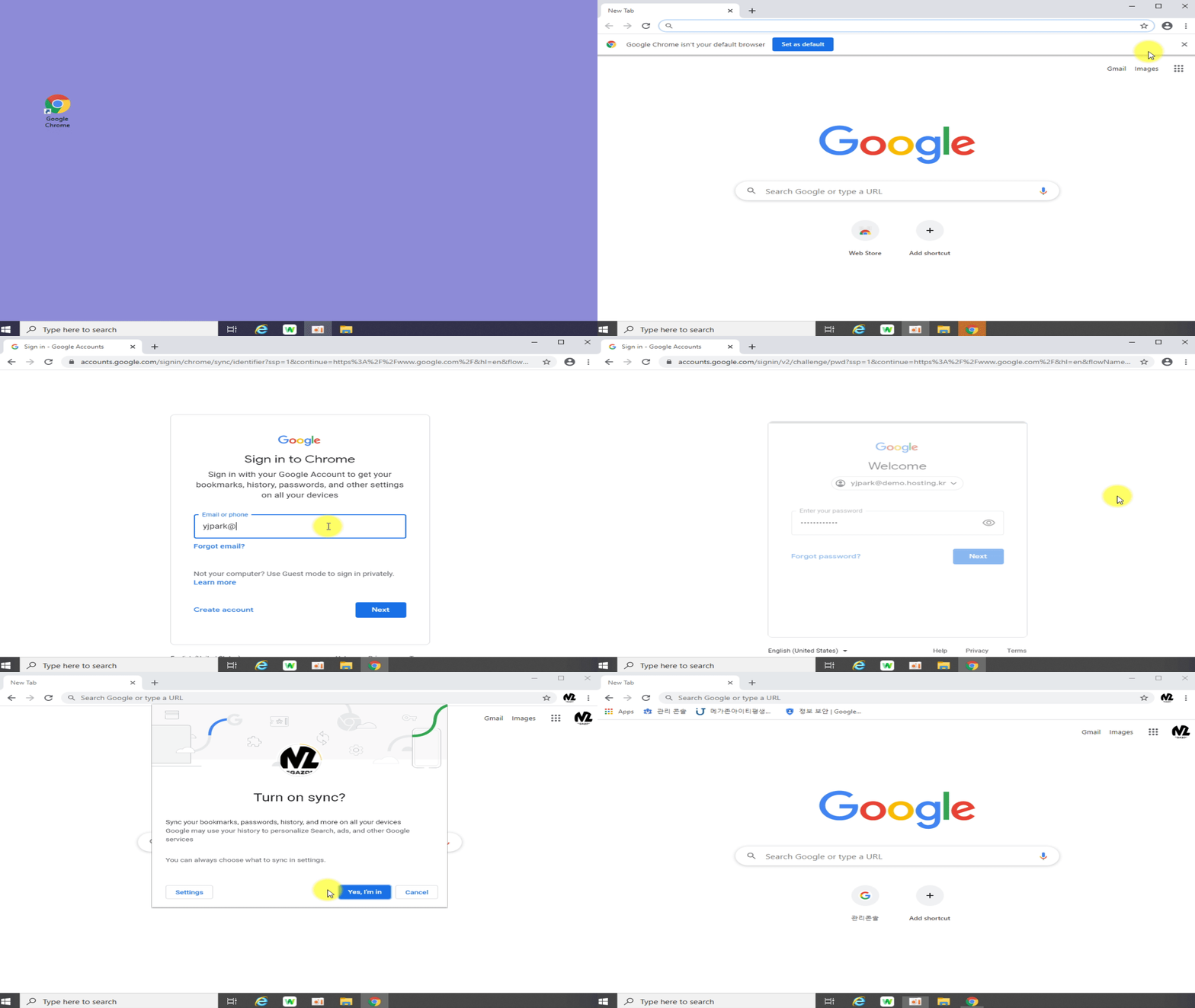
- On your computer, open Chrome.
- At the top right, click Profile
.
- Sign in to your Google Account.
- If you want to sync your info across all your devices, click Turn on sync
Turn on.
If you want to sync more than one account or you share your computer with others, learn how to add a profile in Chrome.
Comments
0 comments
Please sign in to leave a comment.