Setting Google Apps Notification for Android
-
click “settings” -> go to “Apps & notifications”
-
click “Gmail/Drive/Calendar” -> check “App notifications”
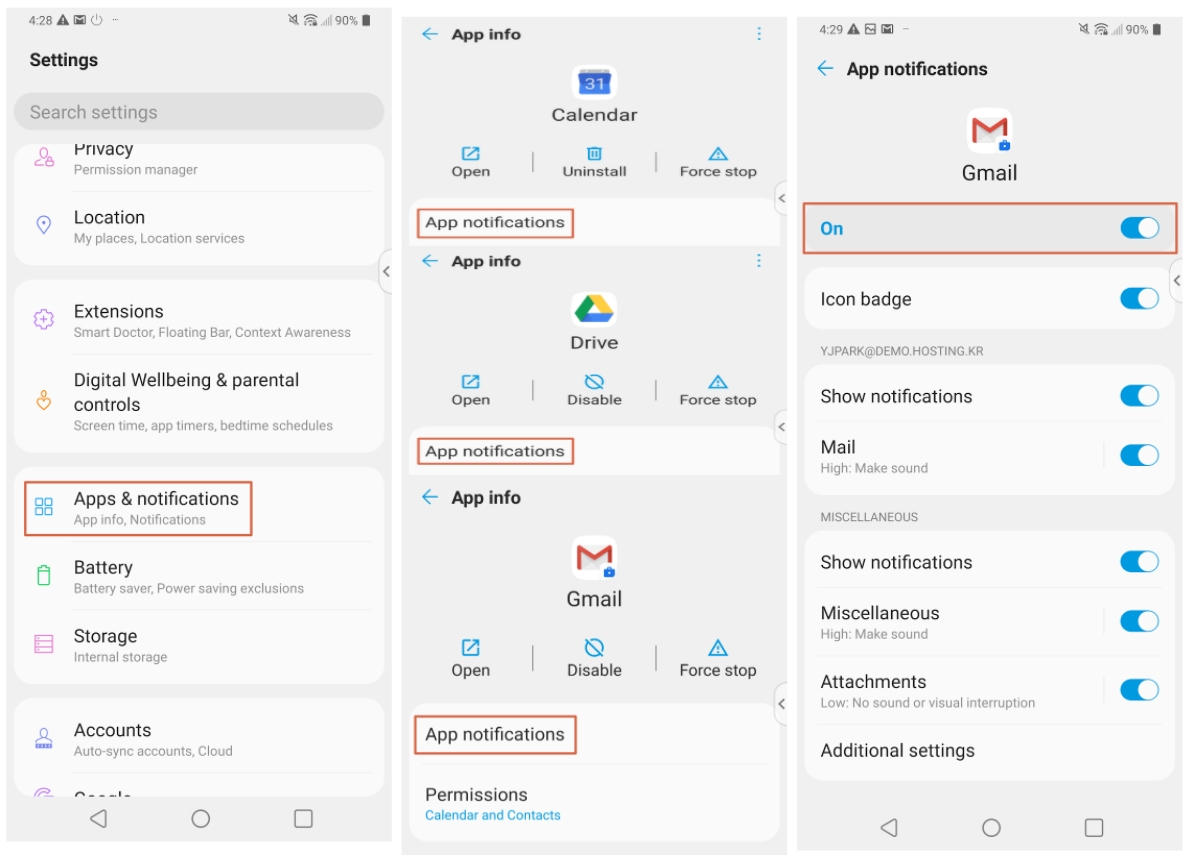

click “settings” -> go to “Apps & notifications”
click “Gmail/Drive/Calendar” -> check “App notifications”
Comments
0 comments
Please sign in to leave a comment.