
What is shared drive
❍ Shared drives are shared spaces where teams can easily store, search, and access their files anywhere, from any device.
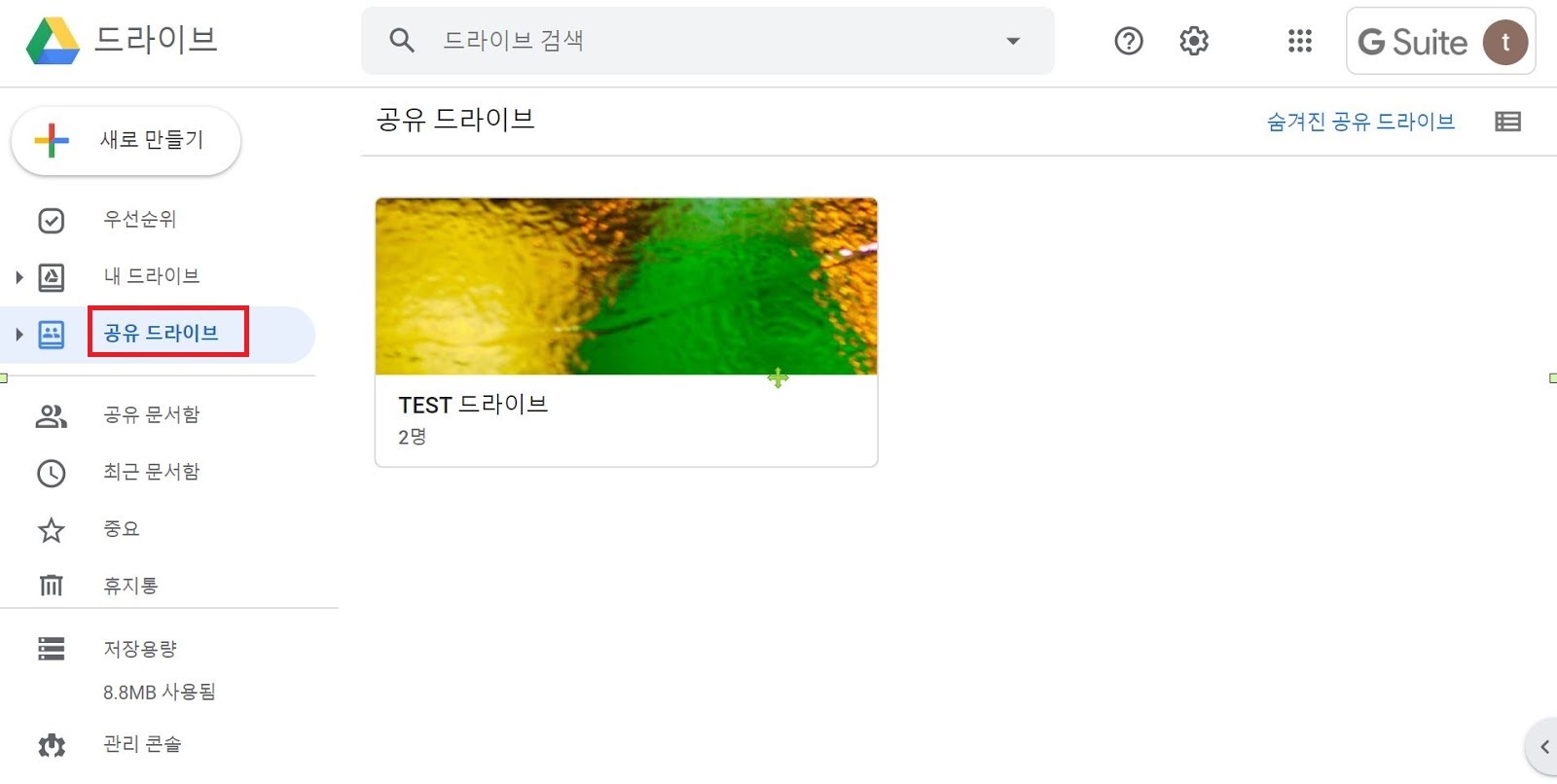
Create a shared drive
① Open Google Drive.
② On the left, click Shared drives.
③ At the top, click New
④ Enter a name and click Create.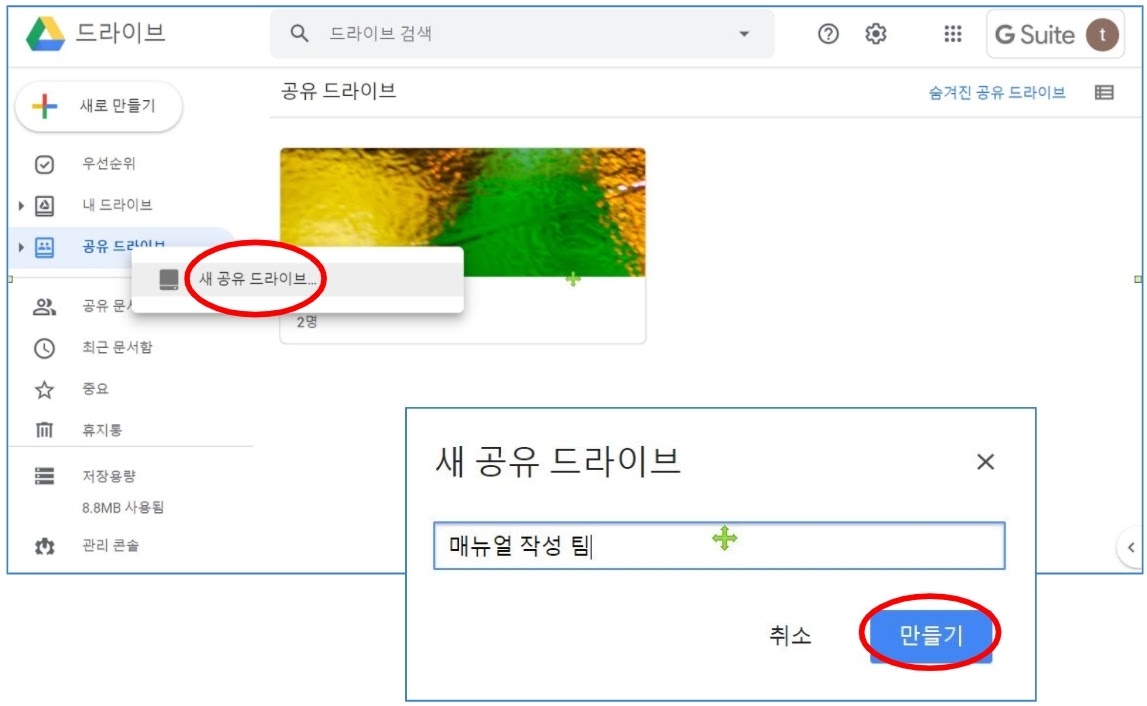
Protect files
Protect all files in a shared drive:
Requires Manager access
① On the left, click the shared drive that contains the files you want to protect.
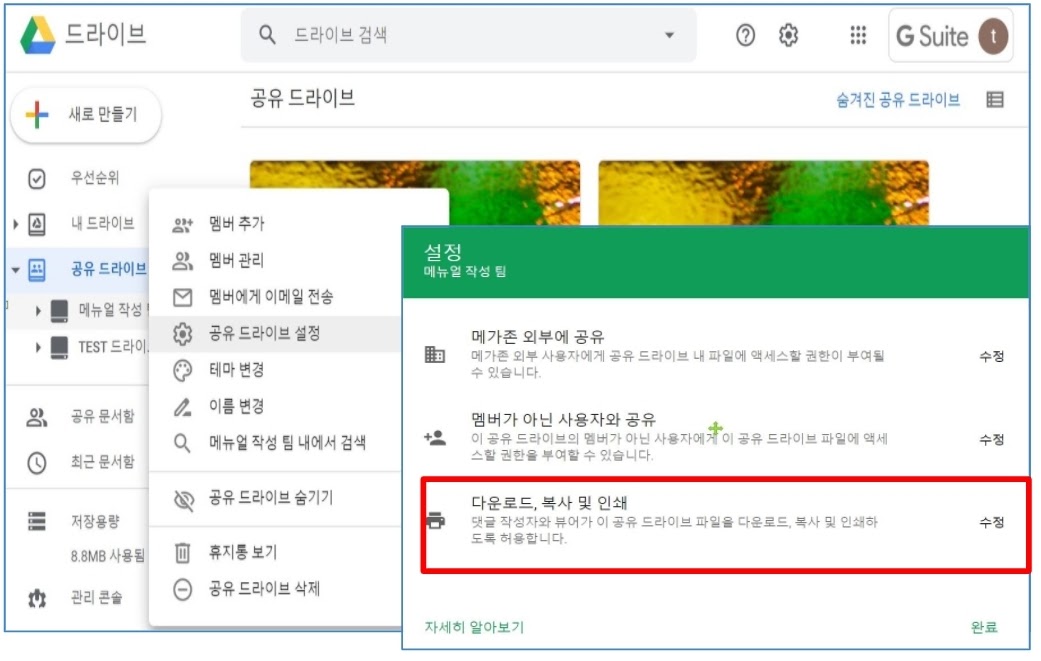
② At the top, next to the shared drive name, click the Down arrow > Shared drive settings.
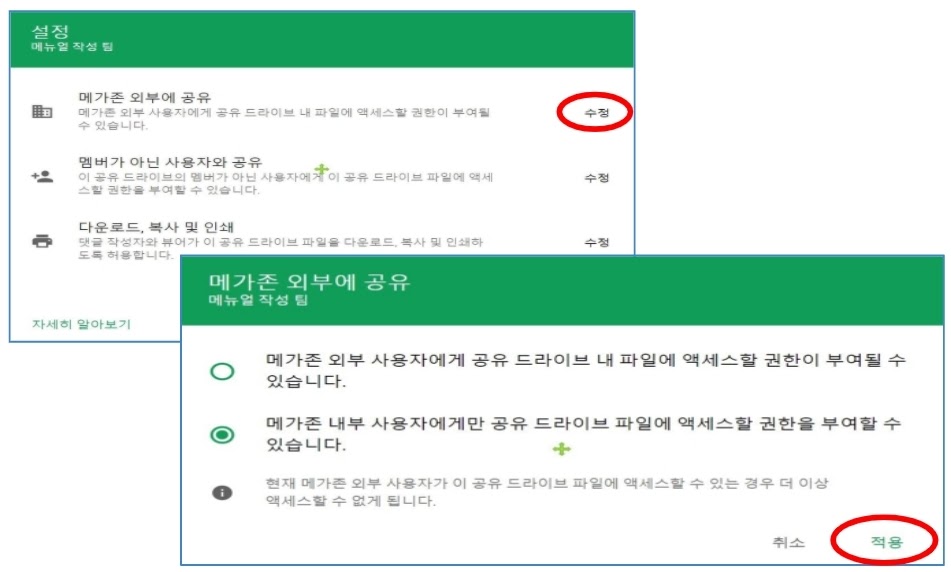
③ Click Edit to set any of these permissions:
-
-Sharing files with people outside of your organization
-
-Sharing files with people in your organization who aren’t members of the shared drive
-
-Allowing people with Commenter and Viewer access to download, copy, or print files.
④ After you choose an option, click Apply.
⑤ Click Done.
Allow sharing the link outside of your organization
① In a shared drive, click the file you want to share.
② At the top, click Share
③ (Optional)To specify what people can do with your file when you share it, under your organization name, click Change:
-
To allow sharing the link outside of your organization, next to your organization name, click the Down arrow > Public.
④ Click Copy link.
⑤ Click Done.
⑥ Paste the link in an email, on a website, or wherever you need to share it.
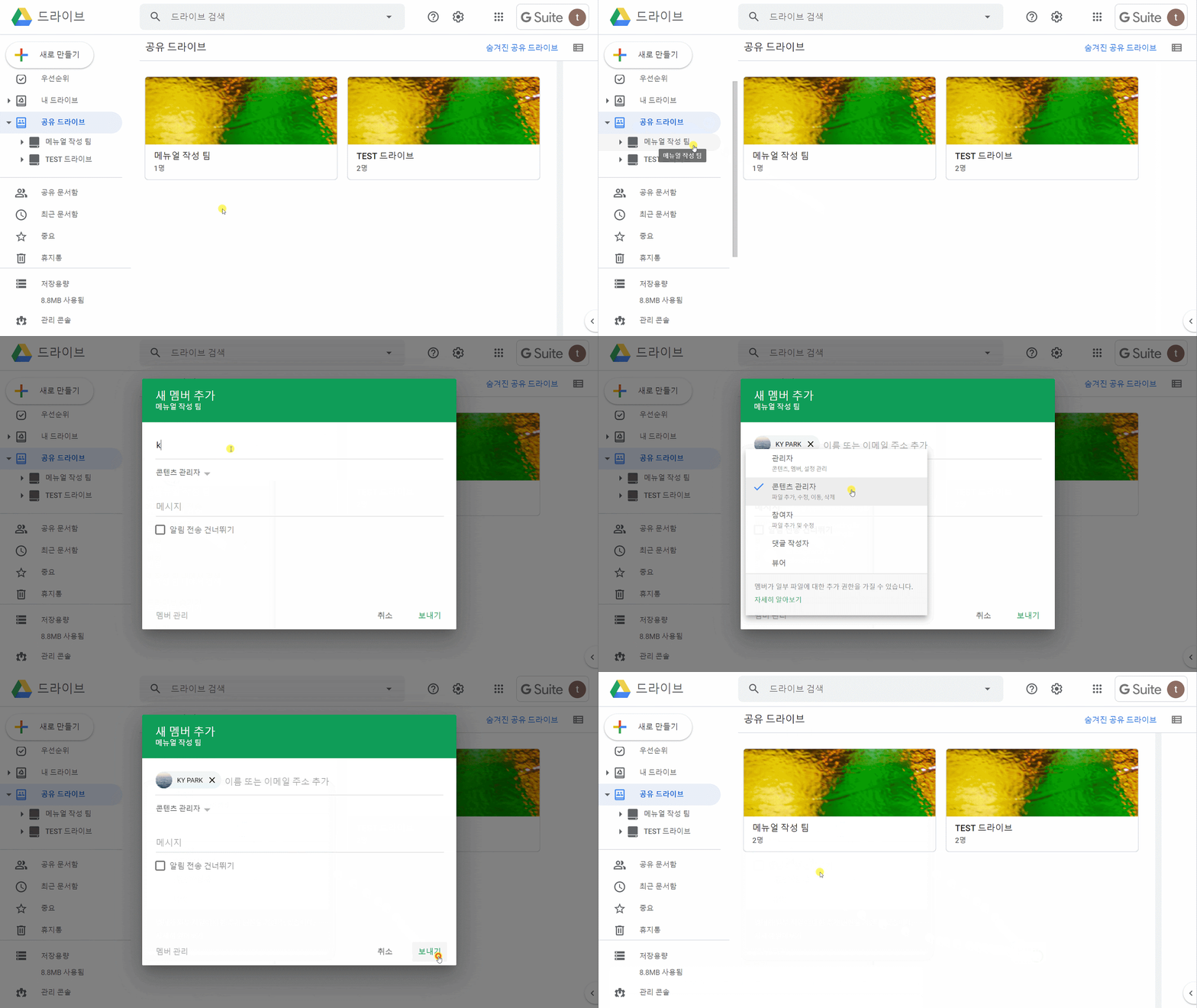
Add members and set access levels
① At the top, click Manage members
② Add names, email addresses, or a Google Group.
-
By default, new members are Content managers. They can upload, edit, move, or delete all files.
③ Permissions for a new member, click the Down arrow and choose an option.
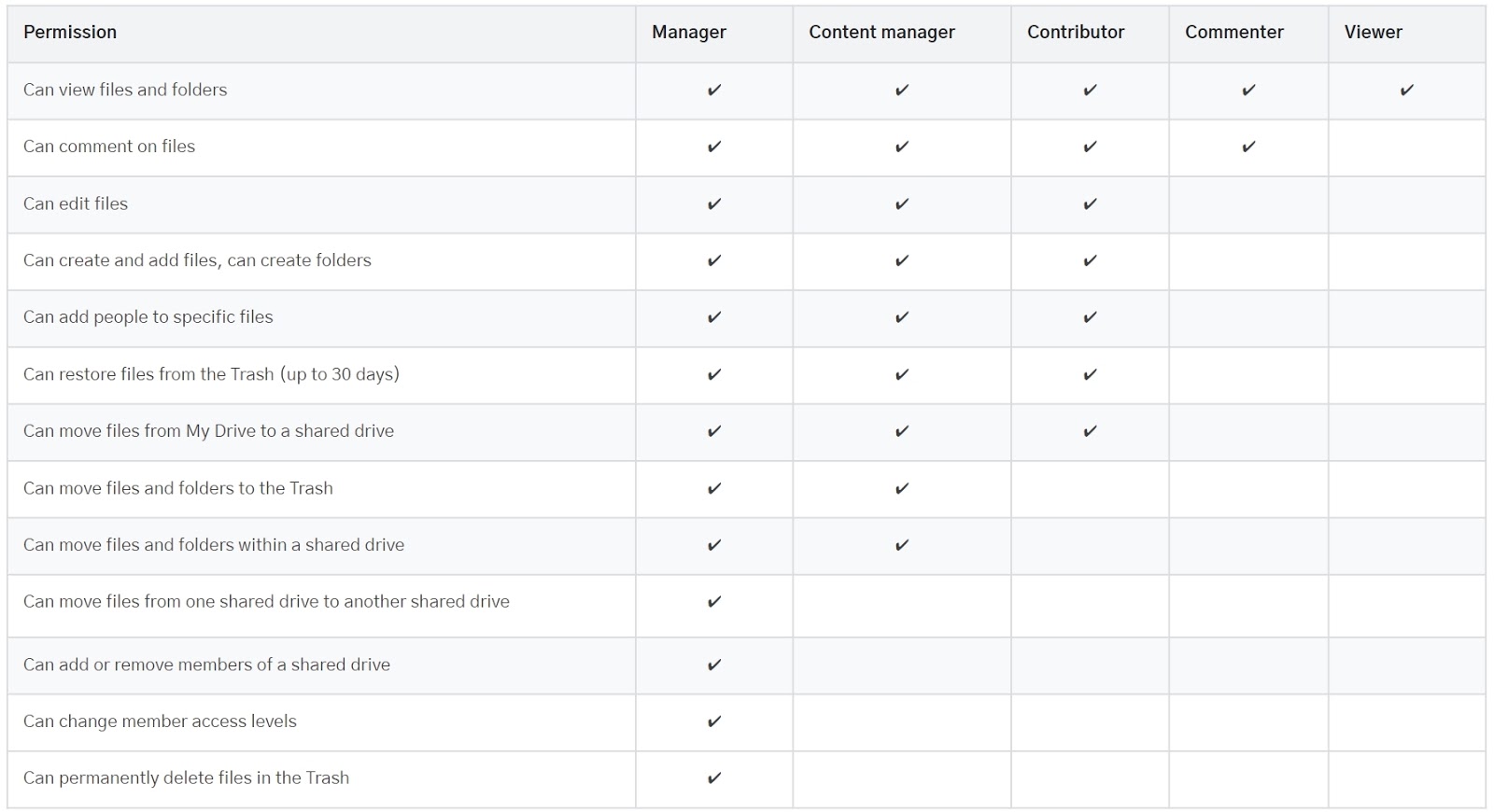
Access levels
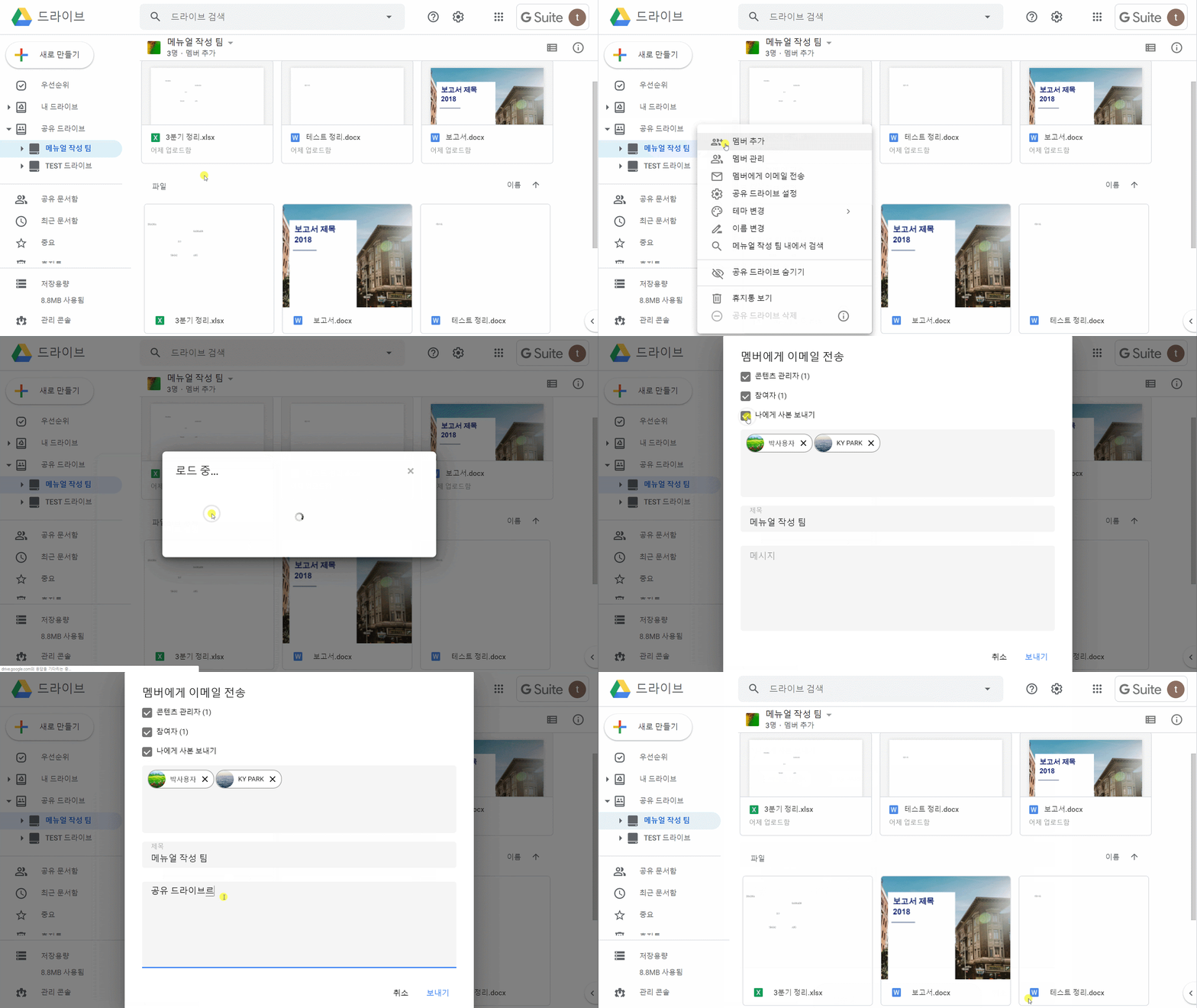
Email members of a shared drive
① On the left, click a shared drive.
② At the top, next to the shared drive name, click the Down arrow > Email members.
③ Change the subject and enter your message.
④ Optional) To only email members with specific access levels, or to send yourself a copy of the email, check the boxes.
⑤ Click Send.
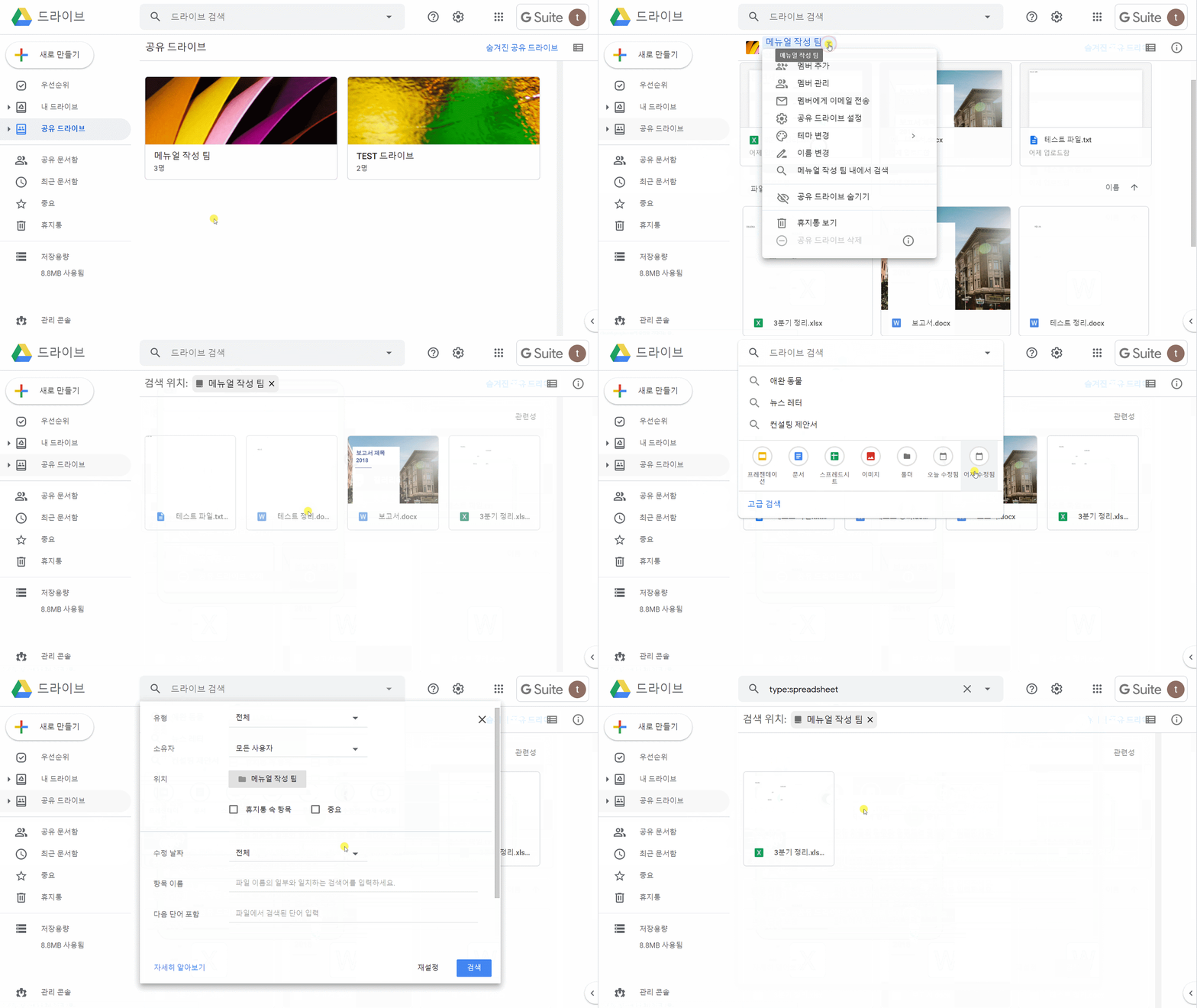
Search in a shared drive
① Right-click a shared drive and click Search within shared drive name.
② In the Search box, enter your search term and press Enter.
Comments
0 comments
Please sign in to leave a comment.