Skip to main content
[Groups]Send emails from a groups address
Add a groups address you own
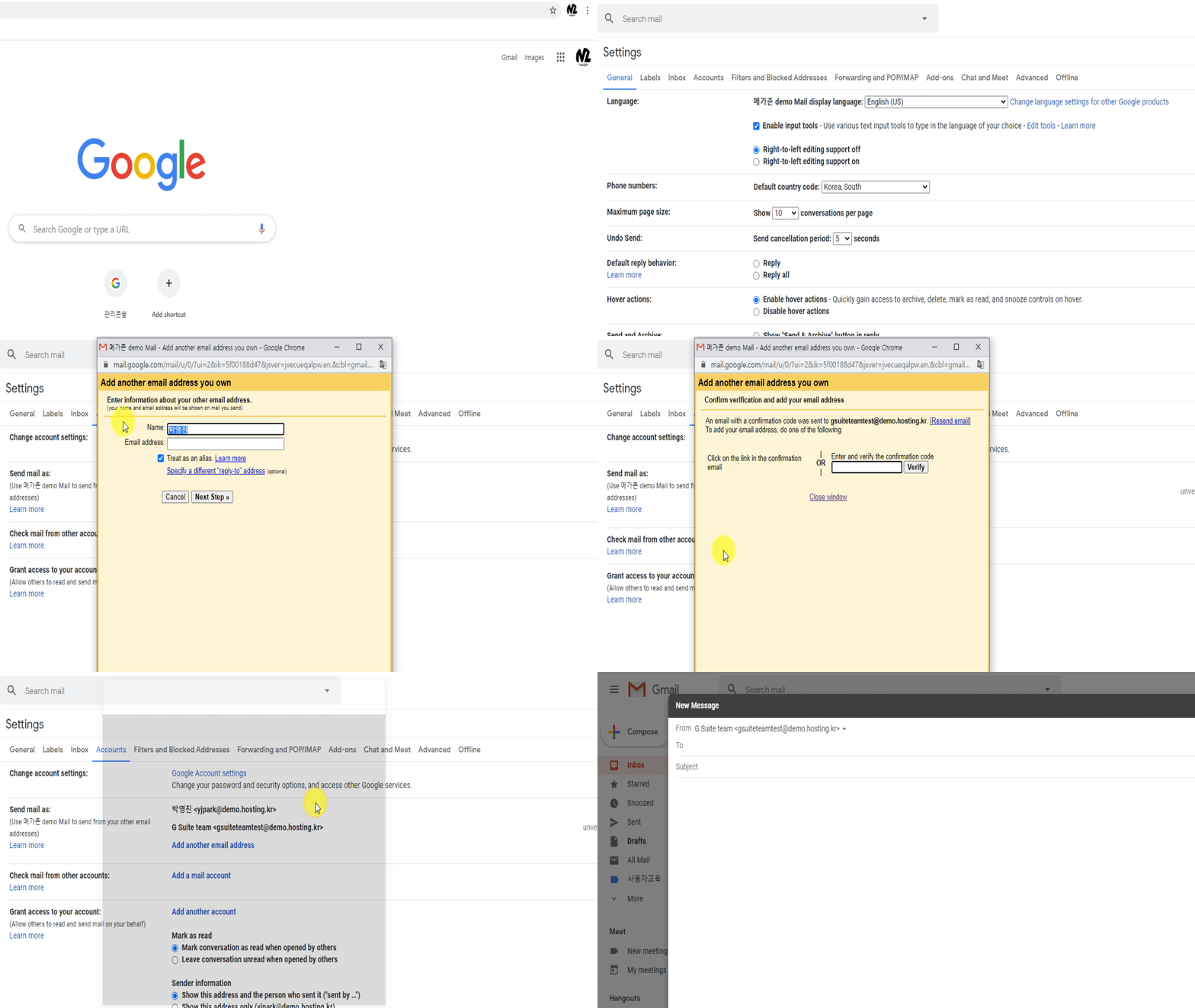
- On your computer, open Gmail.
- In the top right, click Settings

 See all settings.
- Click the Accounts and import or Accounts tab.
- In the "Send mail as" section, click Add another email address.
- Enter your name and the address you want to send from.
- Click Next Step Send verification.
- Sign in to the account you added.
- Open the confirmation message you got from Gmail.
- Copy the confirmation code and enter it into the pop-up window.
Change the "From" address
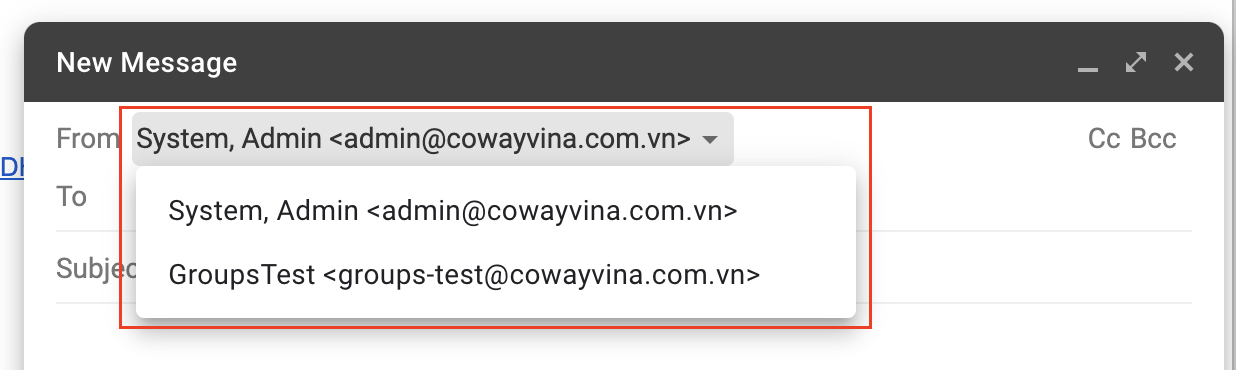
- Click the "Compose" button.
- In the "New Message" window, click the "From" line.
(If you don't see this, click the space next to the recipient's email.)
- Select the address to send from.

Comments
1 comment
Could you pls include a guidance photo for this part
Please sign in to leave a comment.