
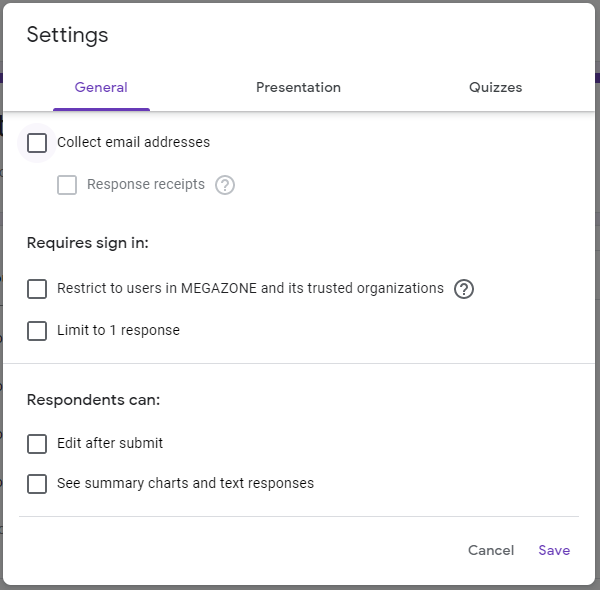
General
❍Collect email addresses
- Setting respondent email addresses
- Receive response : Set respondents to automatically receive
Forms copies
❍ Requires sign in
- restrict to users in @domain and its trusted
organizations : Set limit outsider
- Limit to 1 response : Can not submit once more
❍ Respondents can:
- Edit after submit : Can be edit after submit
- See summary charts and text responses :
Can be possible to check the contents of all responses
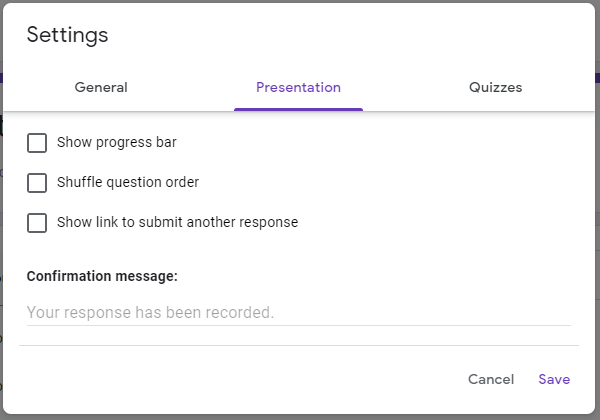
Presentation
❍ Show progress bar
- Respondents can check progress
❍ Shuffle question order
- Randomly shuffle answer list
❍ Show link to submit another response
- If can be multiple responses, show link another
answer to the respondent
❍ Confirmation message
- Show the message to respondent
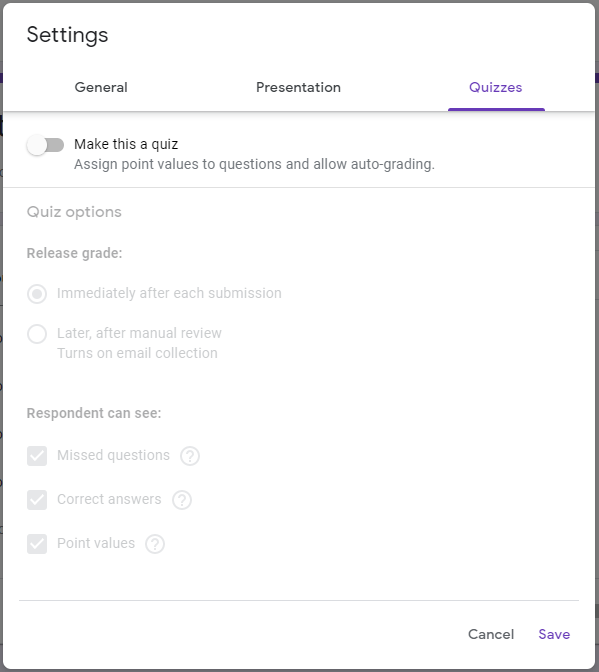
Quiz
❍ Make this a quiz
- Forms change quiz, assign point value and auto-grading
❍ Quiz options
- Release grade : immediately or later
❍ Respondent can see
- Missed questions : show miss questions
- Correct answers : show correct answer after score open
- Point values : show total score, show point to each question
Comments
0 comments
Please sign in to leave a comment.