
Add or change animations and transitions
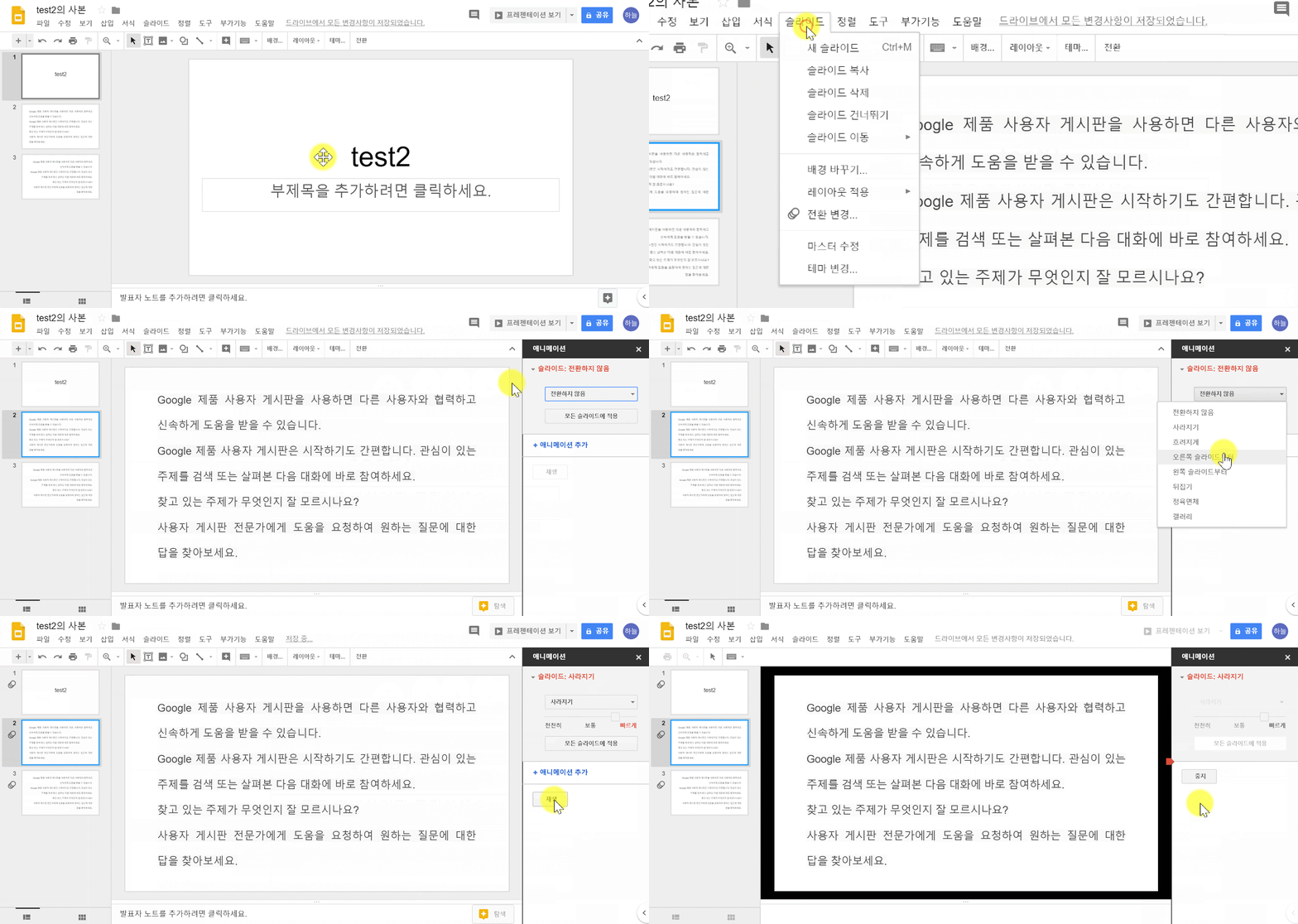
① On the left, click the slide you want to transition to.
② Click Slide > Change transition.
③ When you add new animations, they are automatically set to "fade in.
④ Click the animation you want to change.
Change theme
① On your computer, open a presentation in Google Slides.
② At the top, click Slide > Change theme
③ On the right, click the theme you want.

Comments
0 comments
Please sign in to leave a comment.