
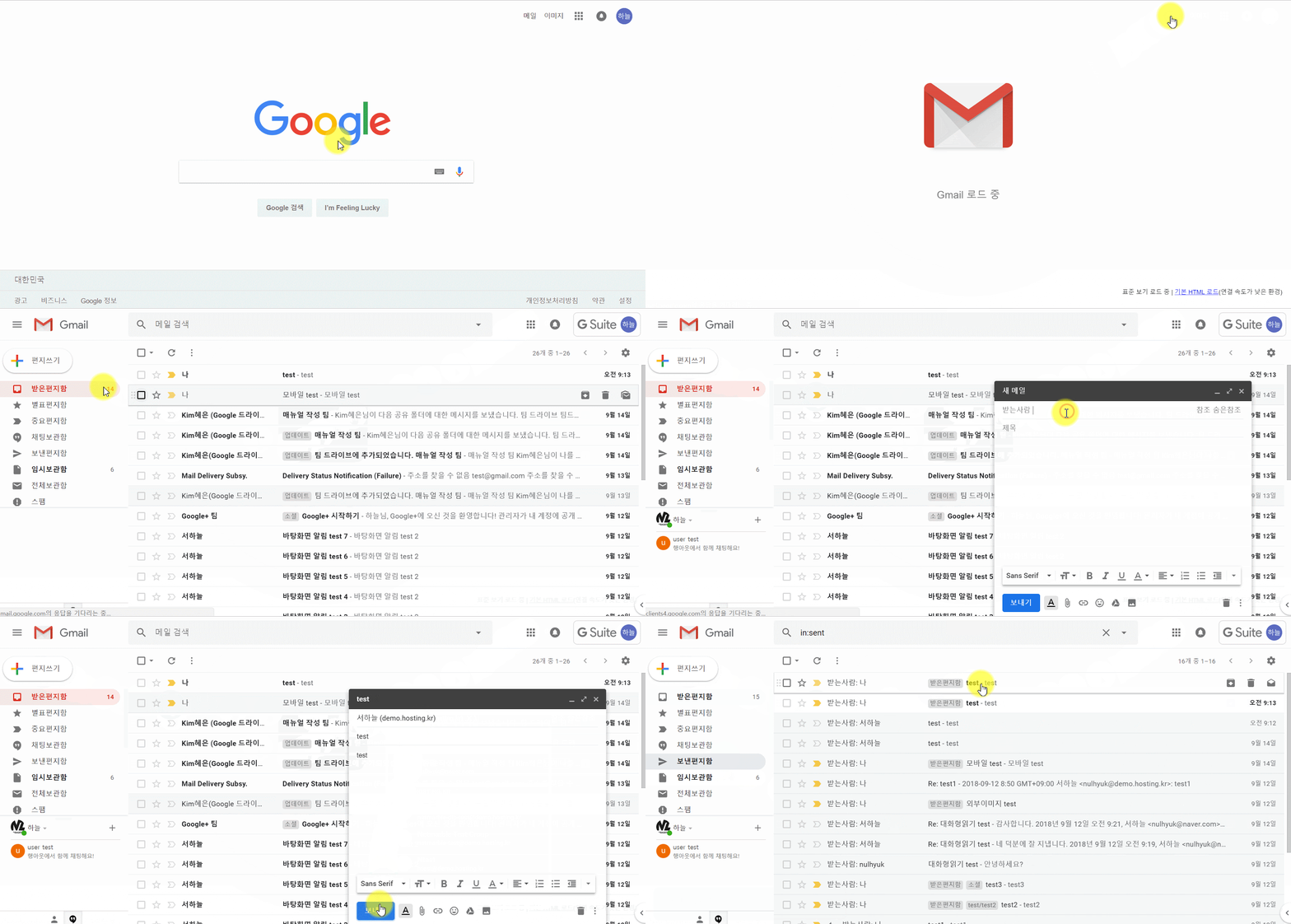
Create and send email
- Create email
Open Gmail → On the left ,click 'Compose' - Send email
Enter your message.→ Click send
Formatting option

Shortcuts you can use
→ ① Undo, Redo (Ctrl + Z / Ctrl + Y)
→ ② Font (Ctrl + Shift + 5 / Ctrl + Shift + 5)
→ ③ Font Size (Ctrl + Shift + minus(-) / Ctrl + Shift + plus(+))
→ ④ Bold, Italic, Underline, Text color (Ctrl + B / Ctrl + I / Ctrl + U)
→ ⑤ Align, Numbered list, Bulleted list, Indent less/Indent More, Quote
→ ⑥ Strikethrough (Alt + Shift + 5)
→ ⑦ Remove formatting (Ctrl + \)
Comments
0 comments
Please sign in to leave a comment.