
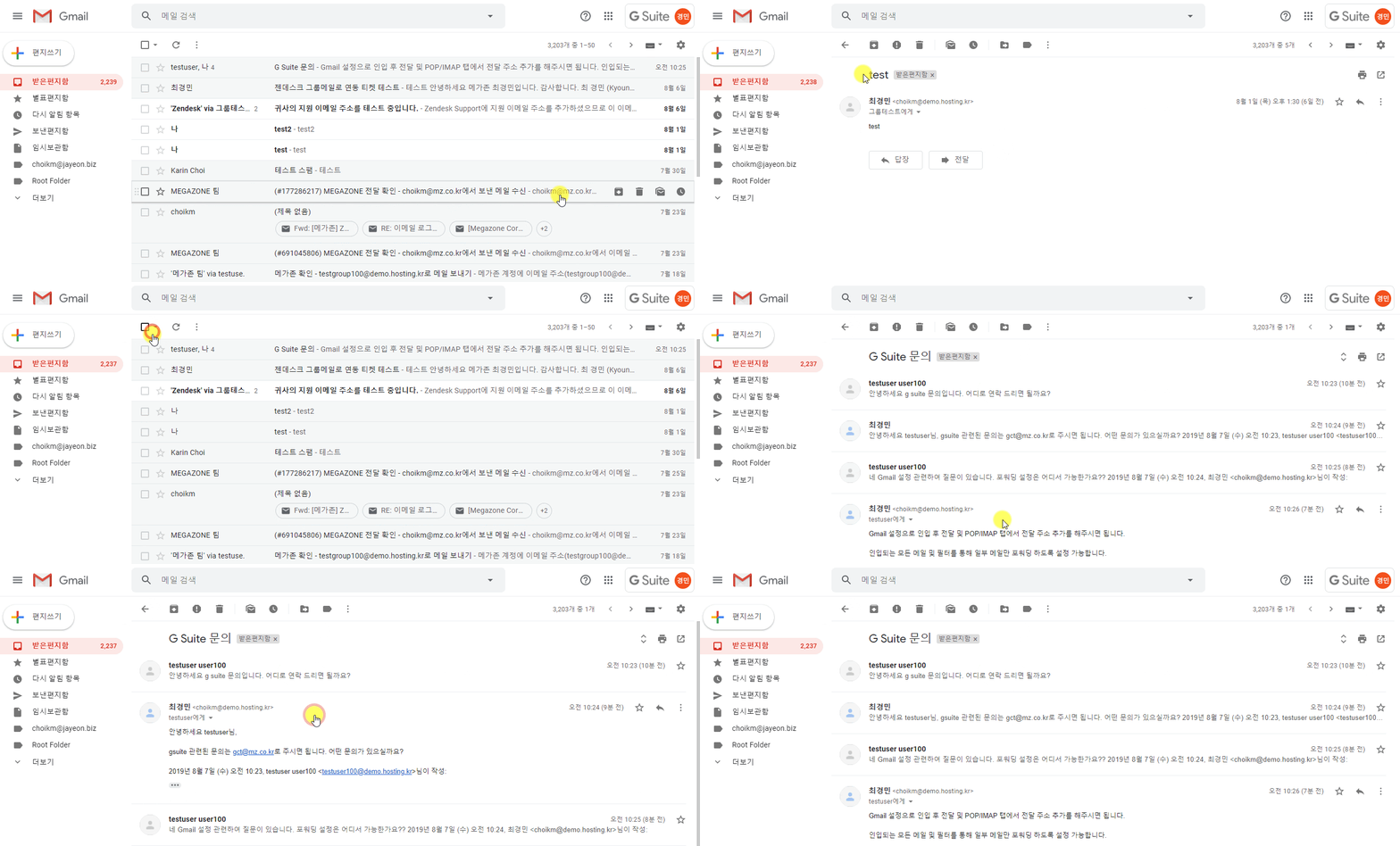
❍ Messages as read or unread
- White background / Bold title: unread
- Gray Background / Thin Title: read
❍ Group emails into conversations
You can choose whether replies to emails are grouped in conversations, or if each email shows up in your inbox separately.
① In the top right, click Settings >See all settings
② Scroll down to the "Email Threading" section
③ Check or uncheck the box for Conversation view.
❍ Find labels setting & make change
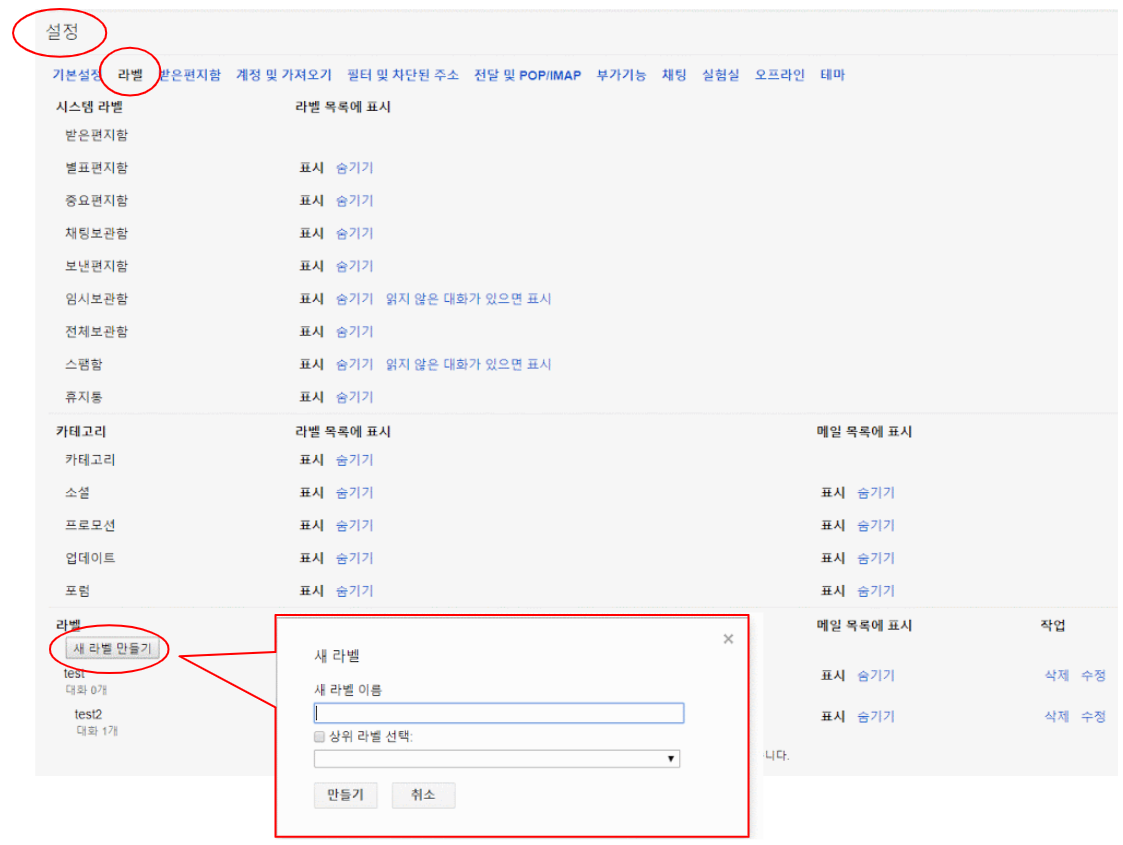
① In the top right, click Settings >See all settings
② At the top, choose a settings page, click Labels
③ Set the range to be displayed in the label list
④ Choose between Show or Hide for each category.
Comments
0 comments
Please sign in to leave a comment.